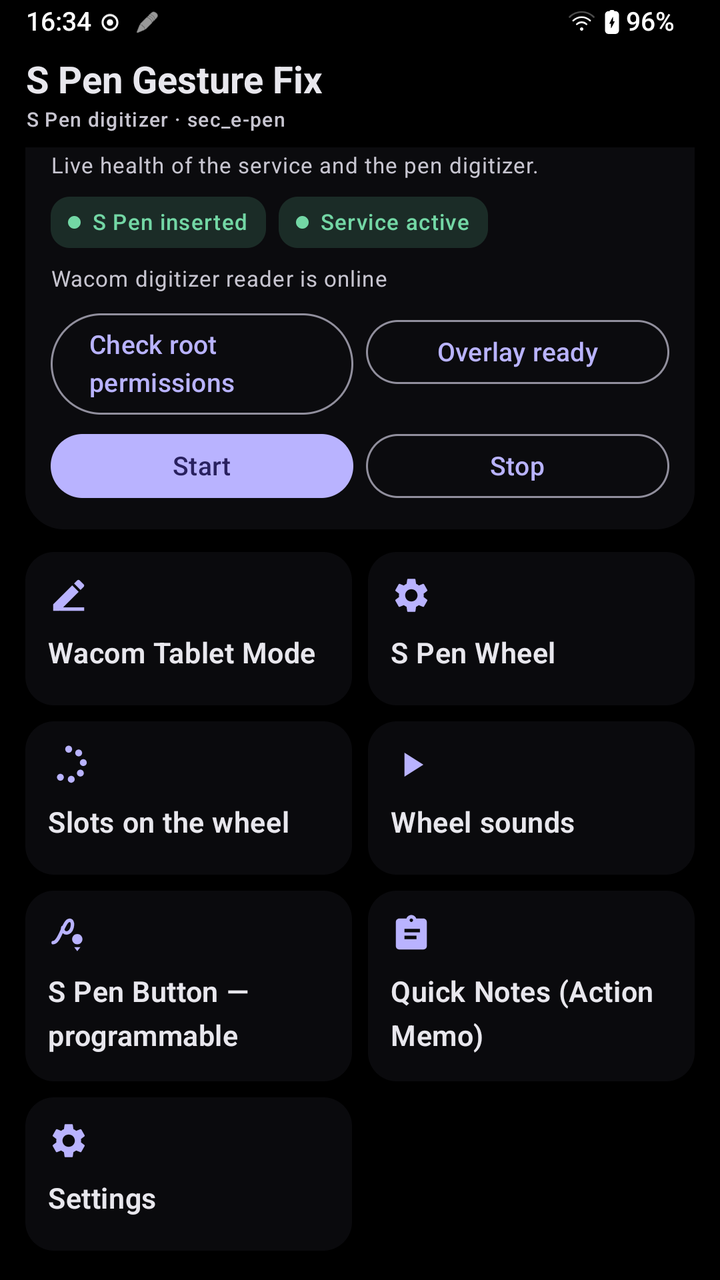
v1.2 GPL-3.0 · Open source Root required 100% local

Bring the S Pen back to life on your rooted Note

A focused, local-first Android utility that restores programmable barrel-button gestures and a classic Air Command wheel on AOSP/LineageOS ROMs — and turns your Note's Wacom digitizer into a low-latency tablet input for your PC.

GitHub stars
APK downloads
0
languages
0
mapped actions
14:57

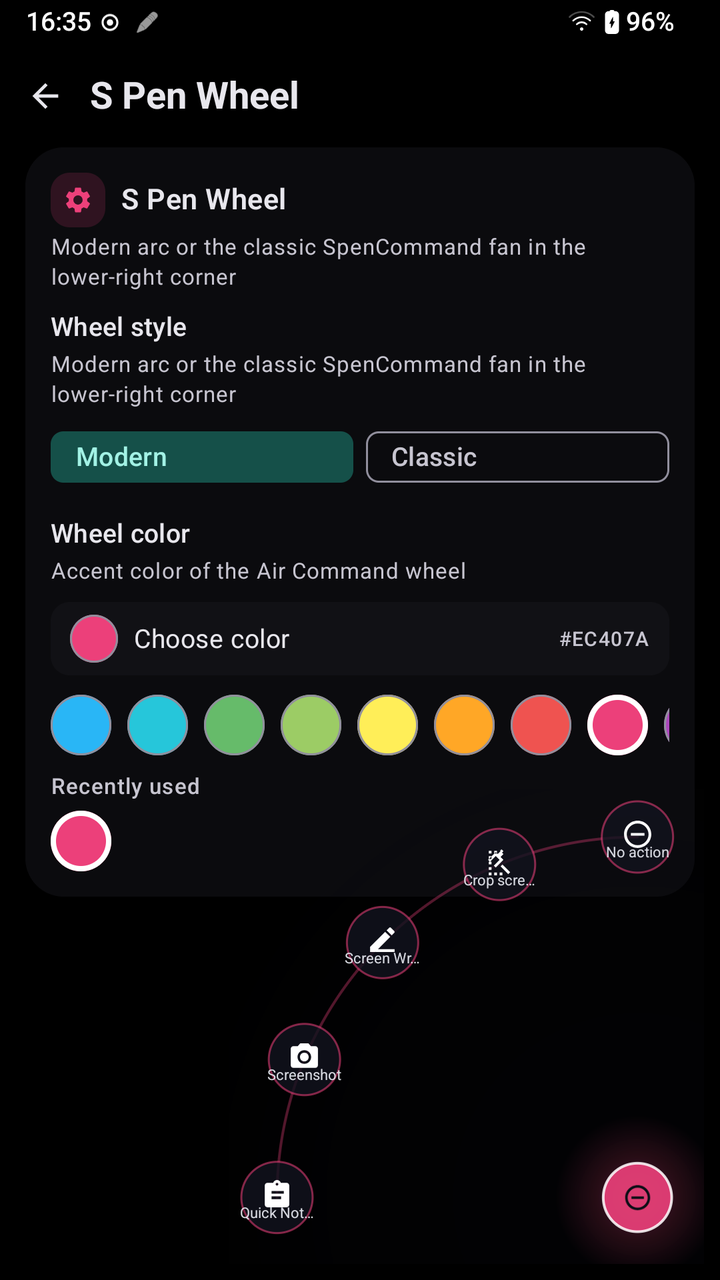
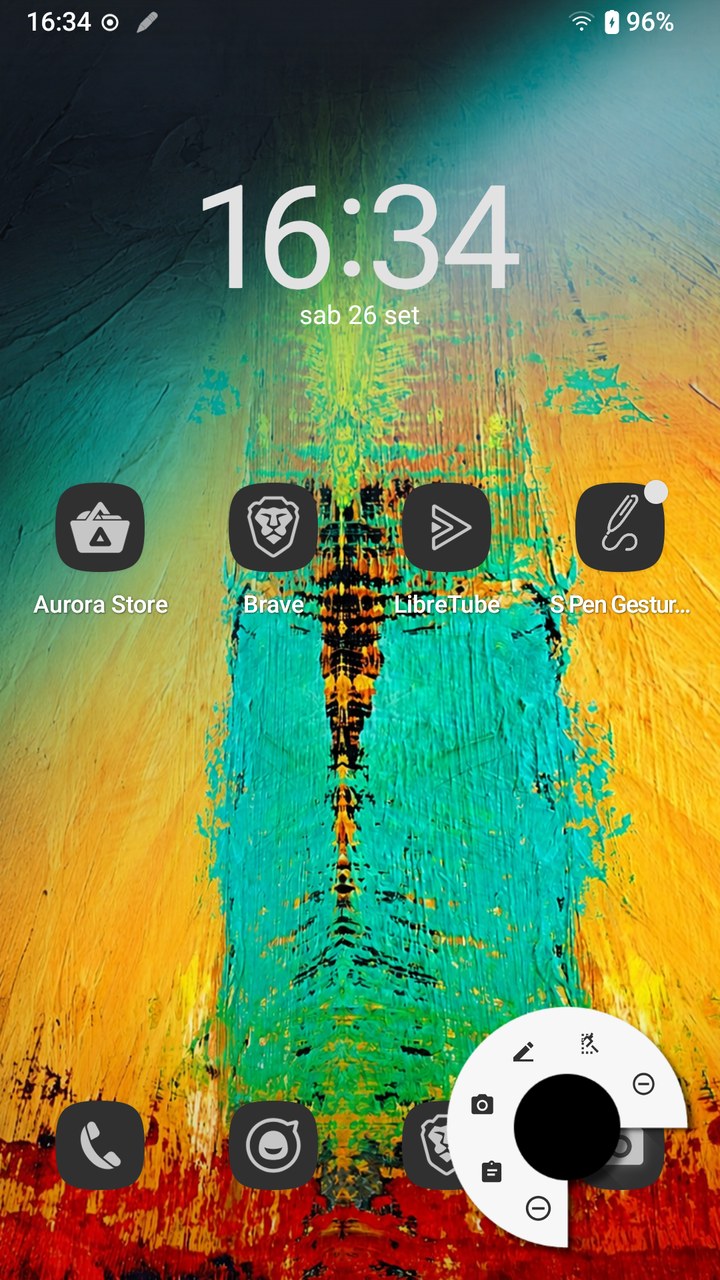
Tap the pen to open Air Command

Why it exists

Custom ROMs kill the pen.
This brings it back.

The problem

Flash AOSP or LineageOS on a Galaxy Note and Samsung's entire S Pen framework disappears. Air Command is gone, the barrel button goes dead, and one of the best Wacom digitizers ever shipped in a phone becomes just another input node nobody listens to.
The solution

SPenGestureFix talks to the kernel directly. A root shell reads raw events from sec_e-pen and the w1 presence switch, a state machine decodes clicks and hovers, and a foreground service drives overlays, actions and a normalized tablet stream. No Samsung framework, no cloud, no telemetry.

Product capabilities

Everything the pen should do

All running locally on your device, with nothing phoning home.

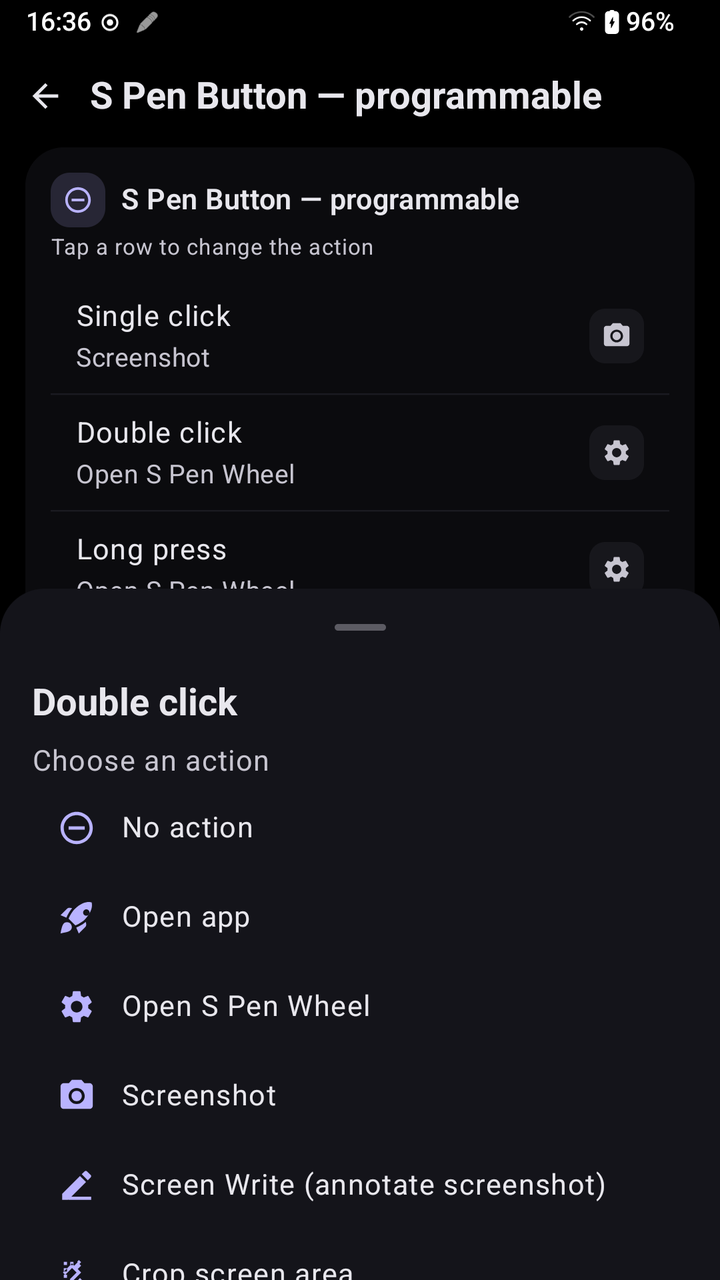
Programmable side button

Single click, double click and long press each run an independent action — remap them anytime from the dashboard.

Air Command wheel

Six configurable radial actions in a lightweight single-window fan anchored lower-right like classic Note Air Command. Custom accent color, spaced hit targets, tap outside to dismiss — no full-screen touch blocker.

Quick Notes

Fully offline notes with editing, search, copy, sharing, character counting, phone-number dialing and Maps lookup.

Screen tools

Annotate a screenshot with Screen Write, or crop a precise rectangle with Smart Select — both use coordinate-correct bitmap mapping.

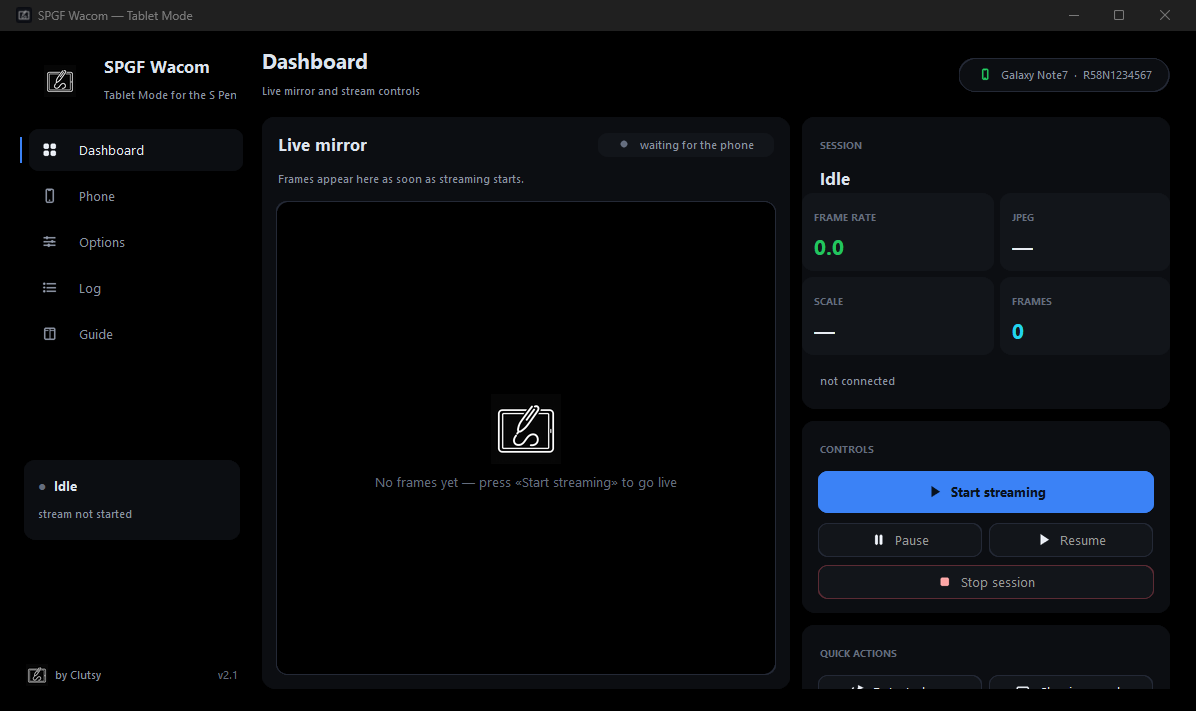
Wacom Mode

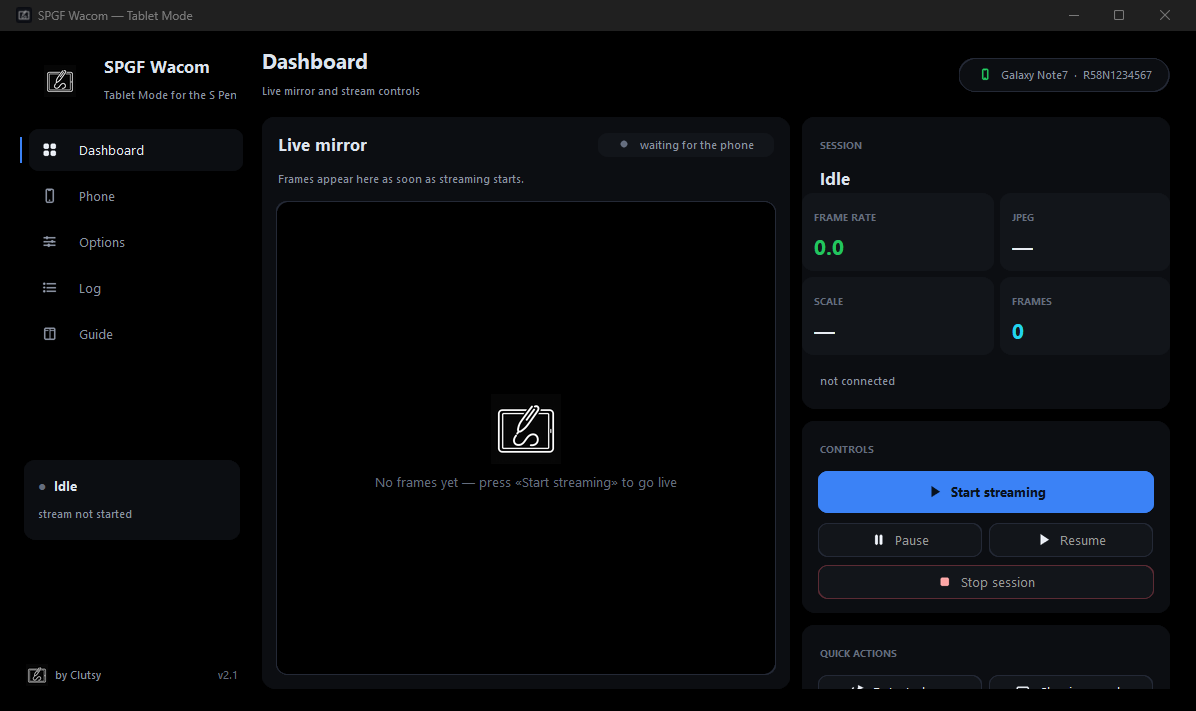
Tunable pressure curves, monitor-matched orientation, smoothing, haptics, configurable pen button — plus a normalized TCP stream for a PC client.

Root actions

Screenshots, flashlight, Wi-Fi/Bluetooth toggles, lock screen, experimental freeform windows and fully custom root commands.

Modern UI · 17 languages

Jetpack Compose + Material 3, localized into English, Italian, Spanish, French, German, Portuguese, Dutch, Polish, Turkish, Russian, Ukrainian, Chinese, Japanese, Korean, Arabic, Hindi and Indonesian.

Local-first by design

No accounts, no analytics, no network calls from the app itself. Every byte is parsed on-device from your own kernel's input stream.

Interactive demo

The barrel button, reborn

Pick a gesture to see how a real mapping behaves. Every gesture is fully remappable in-app.

Single click
Screenshot
Captured into Pictures/SPenScreenshots
Hardware architecture

From kernel events to actions

Phone Wacom drivers surface as Linux input devices, not reliable USB HID gadgets — so the service reads getevent -l through a root shell and owns every layer of the pipeline.

  1. 1

    Kernel devices

    sec_e-pen carries absolute X/Y, pressure, hover, tip and barrel-button events. The separate w1 node reports physical S Pen insertion/removal through a device-specific switch code.

  2. 2

    Isolated readers

    Each device gets its own EPenInputReader process running exec getevent. Stopping one reader never kills another process — a lesson learned the hard way.

  3. 3

    State machine

    PenGestureAnalyzer decodes single/double/long presses and hover transitions without ever blocking the digitizer stream.

  4. 4

    Orchestrator

    SPenGestureService, an Android foreground service, routes results to overlays, broadcasts, mapped actions and the tablet capture pipeline. Overlay operations run only on the main thread.

  5. 5

    Exclusive Wacom Mode ownership

    Entering Wacom Mode pauses the normal reader and takes exclusive ownership of sec_e-pen, handing it back on exit. Two readers never compete for the same kernel stream — and a back event can't leave Wacom Mode accidentally.

Smart presence detection

Some ROMs never report the live switch, so presence also follows real activity: any pen event marks it extracted, and 5 seconds of silence marks it inserted again. This never gates the digitizer pipeline.

Discovery fallbacks

Devices are found via /proc/bus/input/devices, falling back to getevent -lp because some ROMs deny the proc file even to root. Initial slot state can come from driver nodes like epen_connection (OK/NG).

Clean overlay scope

Compose pointer input stays local to a screen or the compact wheel window. The service never intercepts Android MotionEvent dispatch, so normal touch keeps working everywhere else.

Wacom Mode

Your Note becomes a drawing tablet

Stream pressure-aware pen input straight into any desktop app on your PC — over ADB or Wi-Fi.

  • Tunable pressure curves with JVM-tested math
  • Monitor-matched orientation with a forced landscape default for horizontal monitors
  • Physical display metrics detection plus a one-tap resolution reset after rotation or monitor override
  • Manual monitor override for unusual setups
  • Haptics feedback and configurable input smoothing
  • Pen button maps to right-click, middle-click, eraser or disabled
  • Normalized TCP stream on port 7654 for any client

Wire protocol

stream format · tcp://phone:7654
# optional newline-terminated metadata record:
#SPEN_TABLET 1 1920 1080 1 landscape

# then one record per frame:
X,Y,P,FLAGS
Frame flag bits
BitMeaning
1Tip pressed
2Right / barrel button
4Eraser end
8In-range (hover)
16Middle button

Axis mapping happens once on the phone; the Windows client only re-orients when its monitor aspect differs from the source metadata. Legacy clients can safely ignore the comment line.

Connect your PC

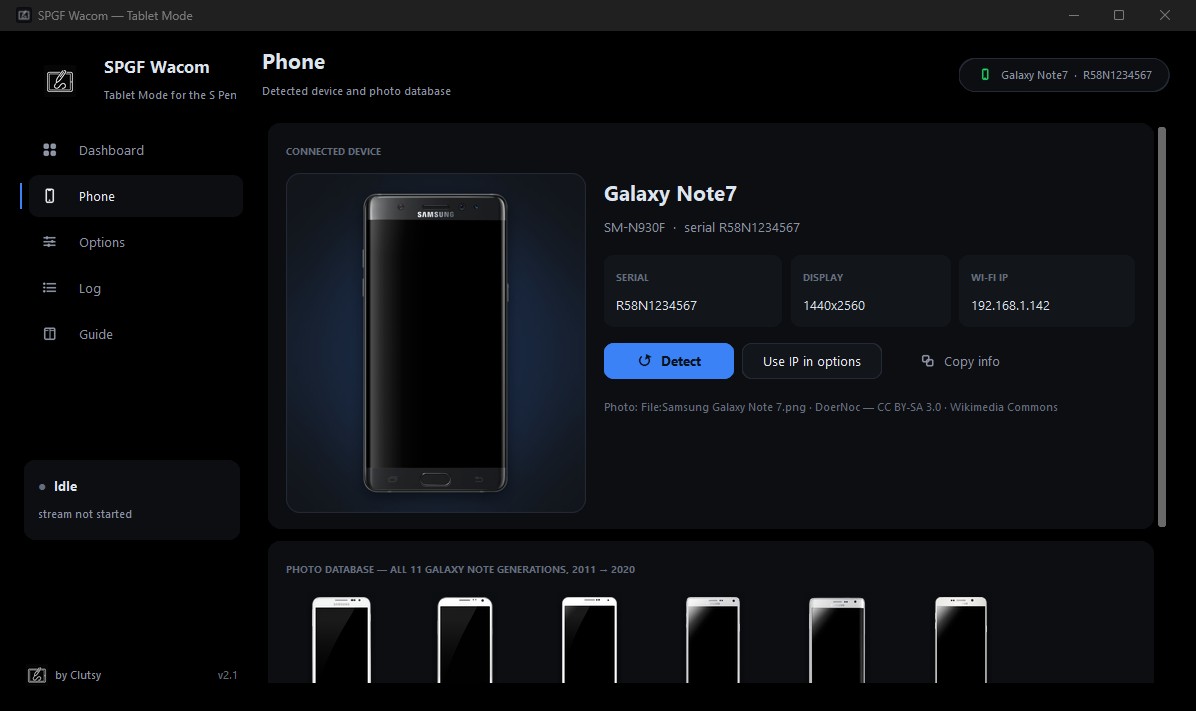
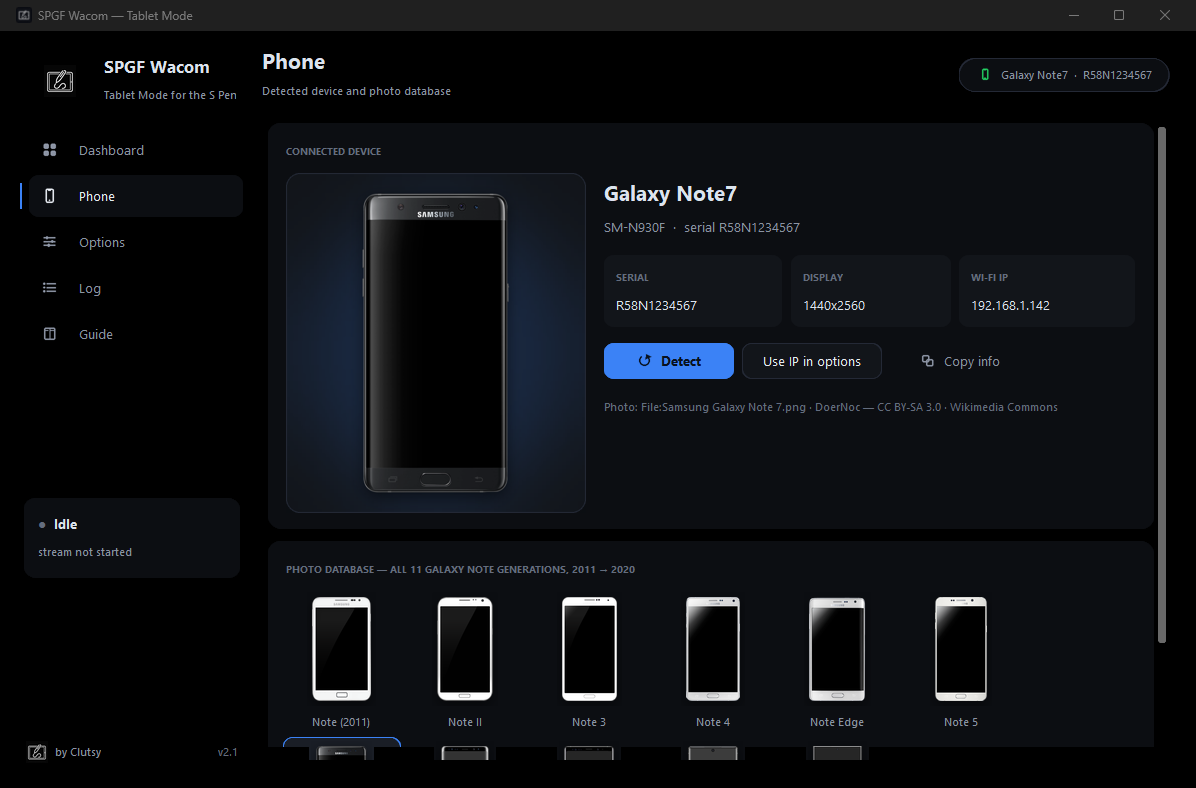
The PC client scripts/SPGF_Wacom.py auto-discovers sec_e-pen, reads the real axis limits and drives the Windows cursor via SendInput — DPI-aware, no extra dependencies. Or skip the cable and receive the TCP stream over Wi-Fi.

terminal
# discover devices and real axis limits
python scripts\SPGF_Wacom.py --list

# ADB mode over USB
python scripts\SPGF_Wacom.py --screen-w 1920 --screen-h 1080

# or receive the Wacom Mode stream over Wi-Fi
python scripts\SPGF_Wacom.py --tcp --host 192.168.1.42 --port 7654
Action library

Twelve actions. Infinite combos.

Assign any action to any side-button gesture or any of the six wheel slots.

Open app

Launches a selected launcher application.

Open S Pen Wheel

Opens or closes Air Command.

Screenshot

Captures into Pictures/SPenScreenshots.

Screen Write

Captures and annotates a screenshot.

Smart Select

Crops a selected rectangle from a screenshot.

Quick Note

Opens the offline note editor.

App search

Searches launcher applications and opens one.

Pen Window

Starts a selected app in an experimental freeform window.

Flashlight

Toggles the available camera torch.

Wi-Fi / Bluetooth

Runs the corresponding rooted svc command.

Mute / Lock screen

Sends the relevant rooted key event.

Custom root command

Runs an explicitly configured root command.

Screenshots

Straight from the Note 3

Real captures from the tested device running a connected AOSP ROM.

Wacom Mode capture screen ready to stream pen input to a PC
Wacom Mode capture — pressure live, ready to stream
Getting started

From clone to working pen

Everything you need before the first gesture fires.

Requirements

  • Samsung Galaxy Note 3 SM-N9005 for the tested configuration, or a compatible Wacom kernel device for experimental use
  • Root access via Magisk, SuperSU or an equivalent su
  • An AOSP/LineageOS-based ROM that exposes the input devices
  • Display over other apps permission for the wheel
  • Notification permission on Android 13+ for the foreground service
  • Python 3.9+ on the PC for the optional emulator

Build & install

shell
# From the repository root (Gradle 8.x or bundled .tools/gradle-8.13)
gradle :app:assembleDebug

# Install on a connected device
adb install -r app/build/outputs/apk/debug/app-debug.apk

Kotlin · AndroidX · Jetpack Compose · Material 3 — no NDK or JNI required.

First launch checklist

  1. Grant root access when requested.
  2. Grant Display over other apps for the wheel.
  3. Allow notifications on Android 13+.
  4. Start the S Pen service from the dashboard — it must stay running, because extraction is a Linux input event, not a system broadcast.
  5. Enable Open wheel on S Pen extraction for automatic Air Command.
  6. Configure side-button gestures, the six wheel slots and the accent color.
  7. In Wacom Mode, tap Detect device resolution after changing orientation or a monitor override.
  8. Extract and insert the pen while watching the live state card.

The service notification reports whether the digitizer reader is active. If the kernel device is missing, the app stays usable as a configuration tool and reports the failure instead of blocking the UI.

Hardware compatibility

Tested where it matters

Tested end-to-end

Samsung Galaxy Note 3 SM-N9005

The only hardware validated on the connected rooted ROM used by this repository. Everything — presence switch, digitizer axes, Wacom Mode, the wheel — is tuned against this device.

Potential · unverified

  • Galaxy Note 4 / 5
  • Galaxy Note 8 / 9 / 10
  • Galaxy Tab models with a Wacom digitizer
  • Any rooted Android hardware exposing a Linux input node with ABS_X, ABS_Y, pressure, BTN_TOUCH and BTN_STYLUS

Each target needs its own device-name, axis-range, switch-polarity, kernel-permission and orientation validation. An S Pen slot alone implies nothing.

Diagnose your device

adb
# Inspect input devices without changing state
adb shell su -c "getevent -lp"

# Watch the app's own logs
adb logcat -s SPenGestureService EPenInputReader SPenDebug

Expected capabilities include BTN_TOUCH, BTN_STYLUS and BTN_DIGI. The service accepts switch codes 001a, SW_001A and common pen-switch aliases; if the switch never fires, the 5-second activity fallback takes over.

Honest engineering

Limitations & project map

No magic, no overpromises — here is exactly what this tool is and isn't.

Known limitations

  • Text-based getevent parsing has slightly more latency than a native binary reader.
  • No Samsung handwriting recognition — Screen Write and Smart Select are deliberately simple utilities.
  • Pen Window and root toggles depend on the ROM and aren't available on every build.
  • Android overlay policy and the kernel can limit touch passthrough or background execution.
  • The wheel is intentionally compact with no blurred backdrop: Android can't blur another app's private pixels, and a small window never blocks unrelated touches.
  • If a ROM mounts the panel in reverse, pick Landscape (inverted) or use --orientation landscape-inverted.

Project map

SPenGestureService.kt
Foreground orchestration and runtime state
EPenInputReader.kt
Isolated root input reader and event parser
EventDeviceFinder.kt
Stable device discovery and capability limits
PenGestureAnalyzer.kt
Non-blocking button and hover state machine
WheelOverlay.kt
Compact lower-right Canvas Air Command overlay
MainComposeScreen.kt et al.
Material 3 screens (notes, tablet UI)
TabletInputCapture.kt
Capability-aware normalized frames
TabletNetworkServer.kt
Latest-frame TCP transport
scripts/SPGF_Wacom.py
ADB-first PC emulator
docs/TRANSLATION.md
Documentation and localization workflow

Testing

JVM tests are hardware-free
gradle :app:testDebugUnitTest
python scripts\test_i18n.py
python scripts\test_spen_mouse_emulator.py

Covers input parsing, presence decoding, the five-second idle rule, coordinate normalization and pressure curves. A connected phone is recommended for final acceptance testing because switch codes and polarity are kernel-specific.

Download

Get SPenGestureFix

Grab the latest APK straight from GitHub Releases — or build it yourself from source.

SPenGestureFix app icon — white pen drawing a squiggle Latest

SPenGestureFix com.spengesturefix

Rooted Android · AOSP/LineageOS-based ROM · Wacom digitizer required. Root via Magisk/SuperSU, overlay permission and notifications on Android 13+.

stars downloads

Release history

Loading releases from GitHub…
Open source · GPL-3.0

Ready to wake up your pen?

Clone it, build it, flash your gestures back. Star the repo if it saves your Note from a drawer.